Features
Everything in Tarkhan today.
A focused, professional toolkit for 2D floor plans. Every feature below is in the editor right now — open it and try any of them.
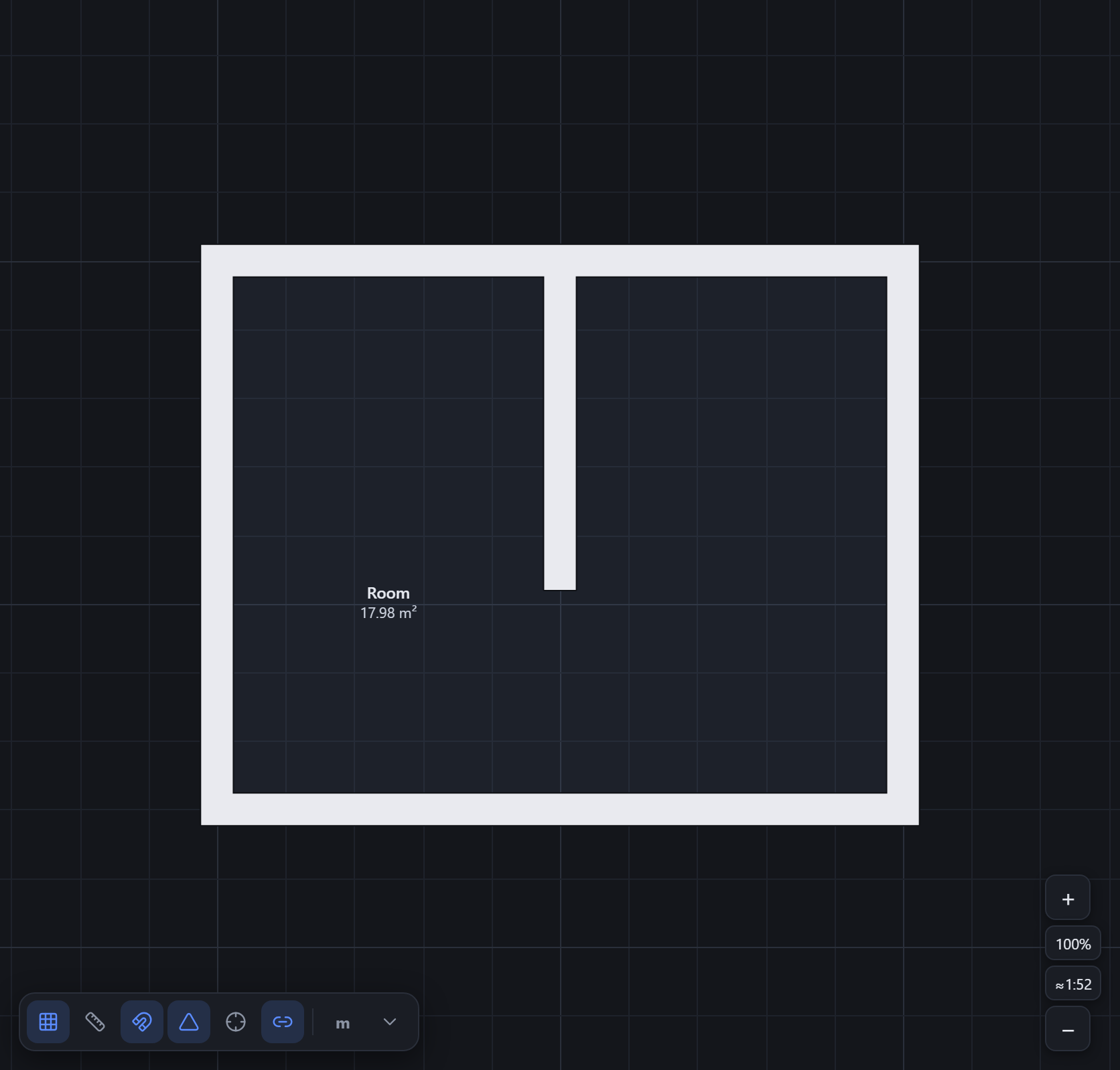
Walls are a connected graph
You don’t draw loose lines — every wall references two shared nodes. Two walls that meet at a node are joined, so dragging that node reshapes every wall attached to it. Corners, T-junctions and clean closures fall out of this automatically.
- Move one node and all connected walls follow
- Split a wall to start a new branch — an instant T-junction
- Adjustable wall thickness (defaults to a 230 mm brick wall)
- Linked or independent mode for how new walls cross and merge
Doors, windows & gates
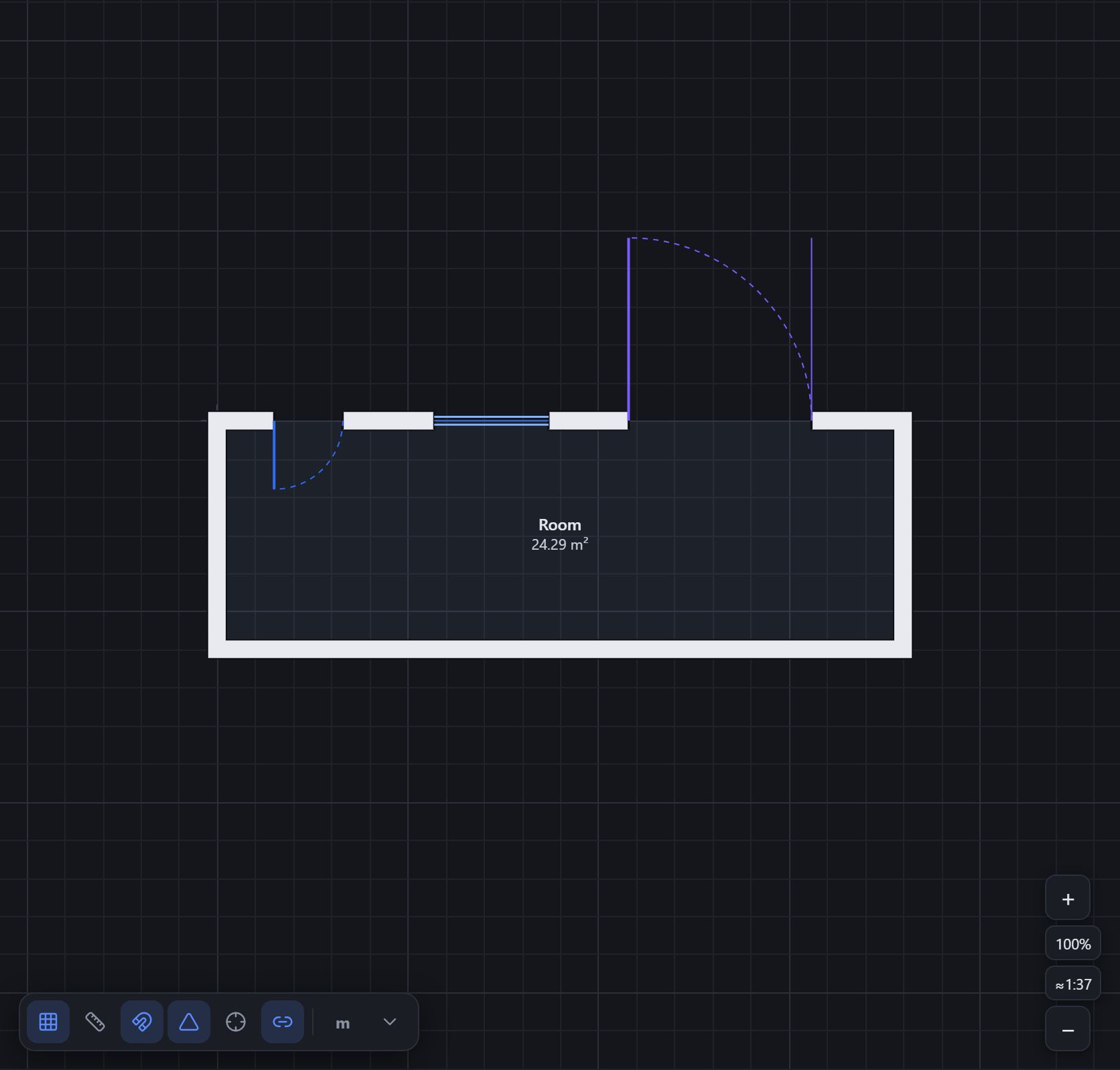
Openings attach to a wall at an offset and ride along it when the wall moves or resizes. Each kind draws the way you’d expect on a plan — a door with its swing arc, a window with glazing lines, a wide gate.
- Four kinds: door, window, gate and a plain opening
- Set width and height; doors get swing and hinge sides
- Windows carry a sill height
- Openings stay put relative to the wall as you edit
Rooms detected automatically
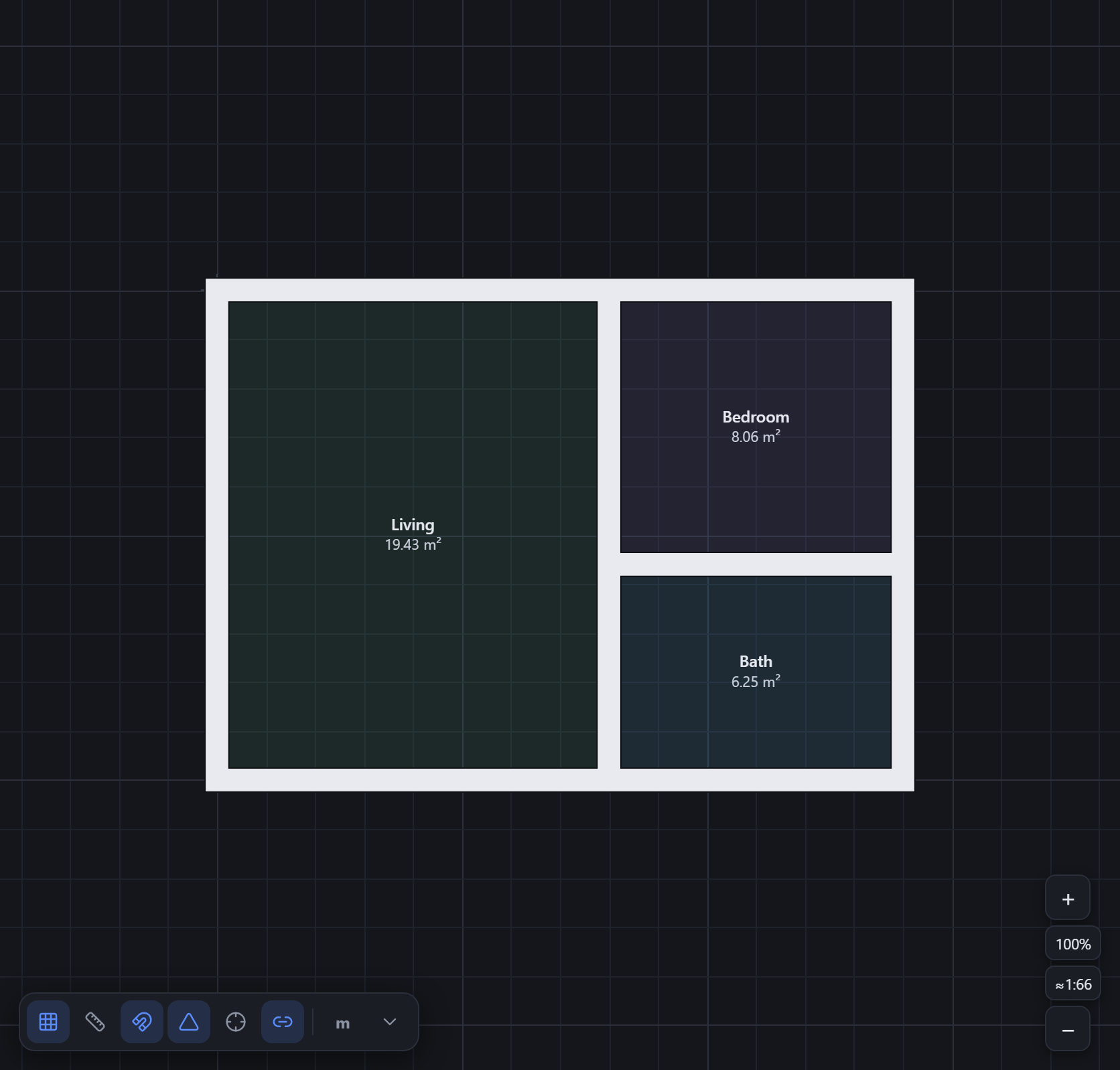
Rooms aren’t something you draw — close a loop of walls and Tarkhan detects the enclosed face and reports its area. Give it a name and type when you want to; the label re-binds to the right space even after you reshape the walls.
- Areas update live as you edit the walls
- Label by type (kitchen, bedroom, bathroom and more)
- Colour-coded by room type
- Labels follow the room when geometry changes
A built-in fixture library
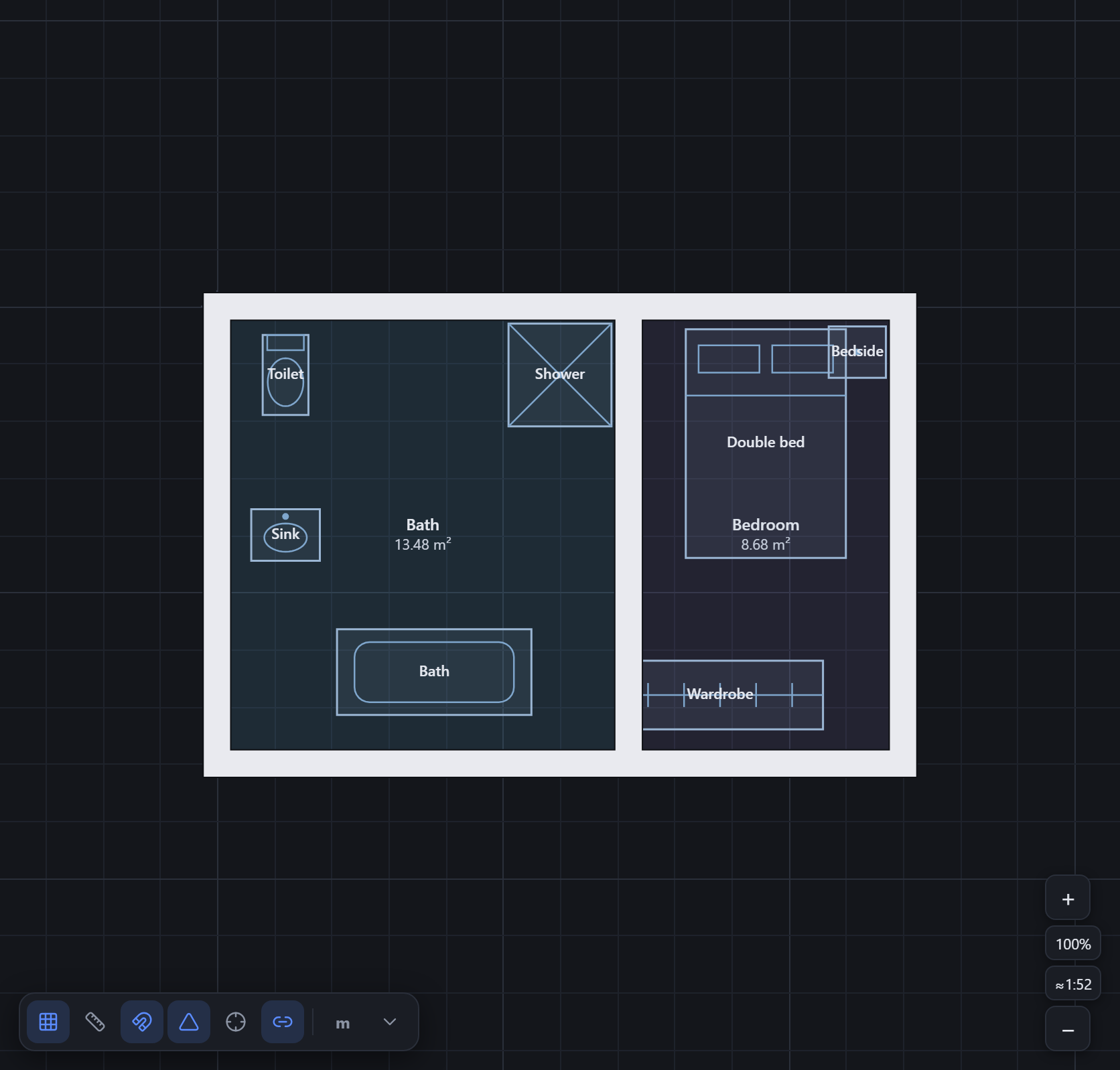
Drop in furniture and appliances drawn to real sizes — then rotate and resize them to fit. The library spans the rooms you actually plan: bathroom, kitchen, bedroom, living and a few extras.
- 27 fixtures across bathroom, kitchen, bedroom, living and misc
- Sinks, toilets, baths, showers, counters, stoves, fridges and more
- Beds, wardrobes, sofas, tables, desks — even a car for the garage
- Rotate and resize each fixture freely
Stairs
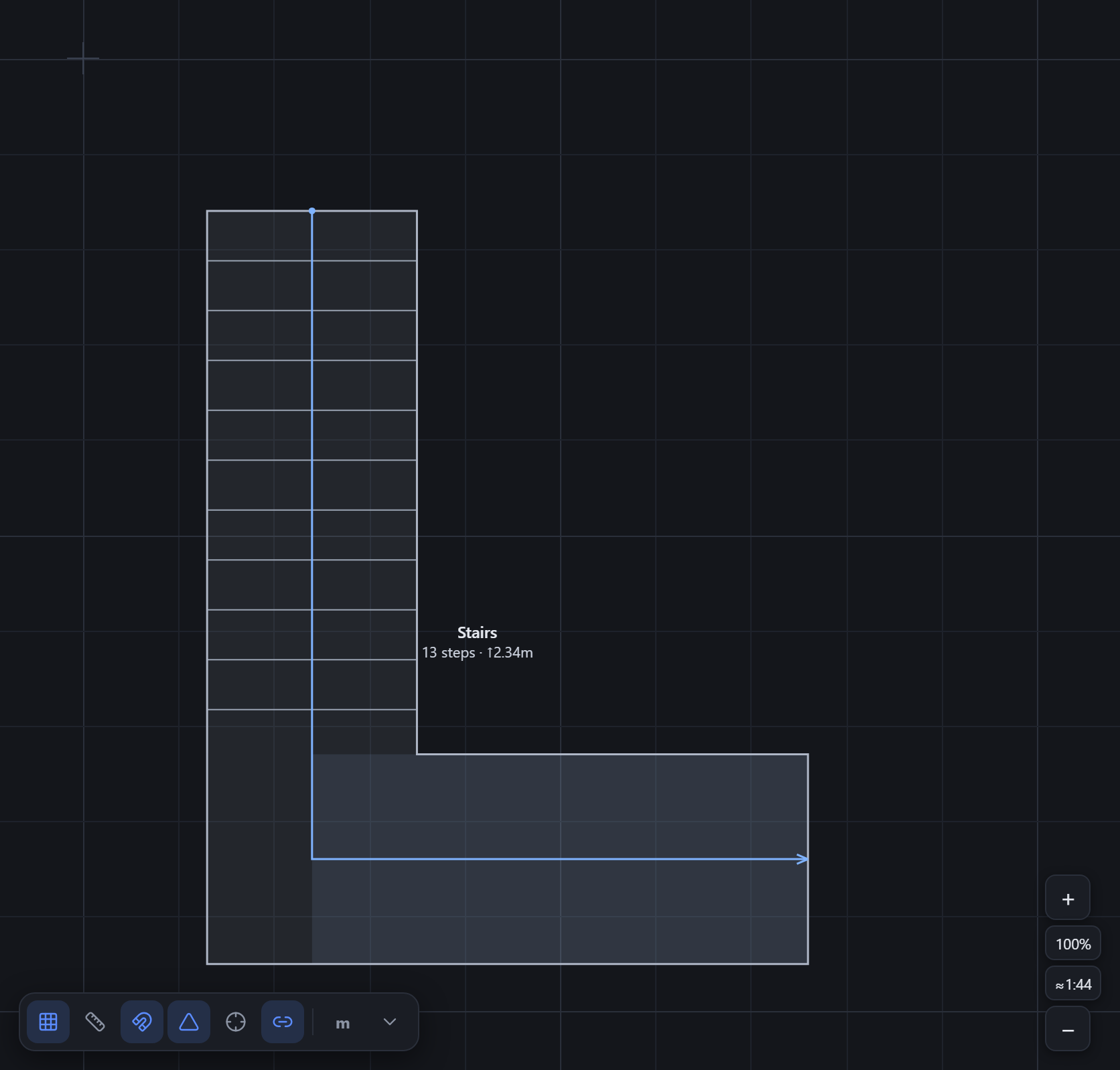
Lay a staircase as a polyline of runs and landings. Tarkhan draws the treads, the centre direction arrow and the flight, and works out the step count from your riser and going.
- Straight runs and landings along one path
- Treads, rails and a direction arrow drawn for you
- Step count derived from riser and going
- Mark a flight as going up or down
Dimensions & annotations
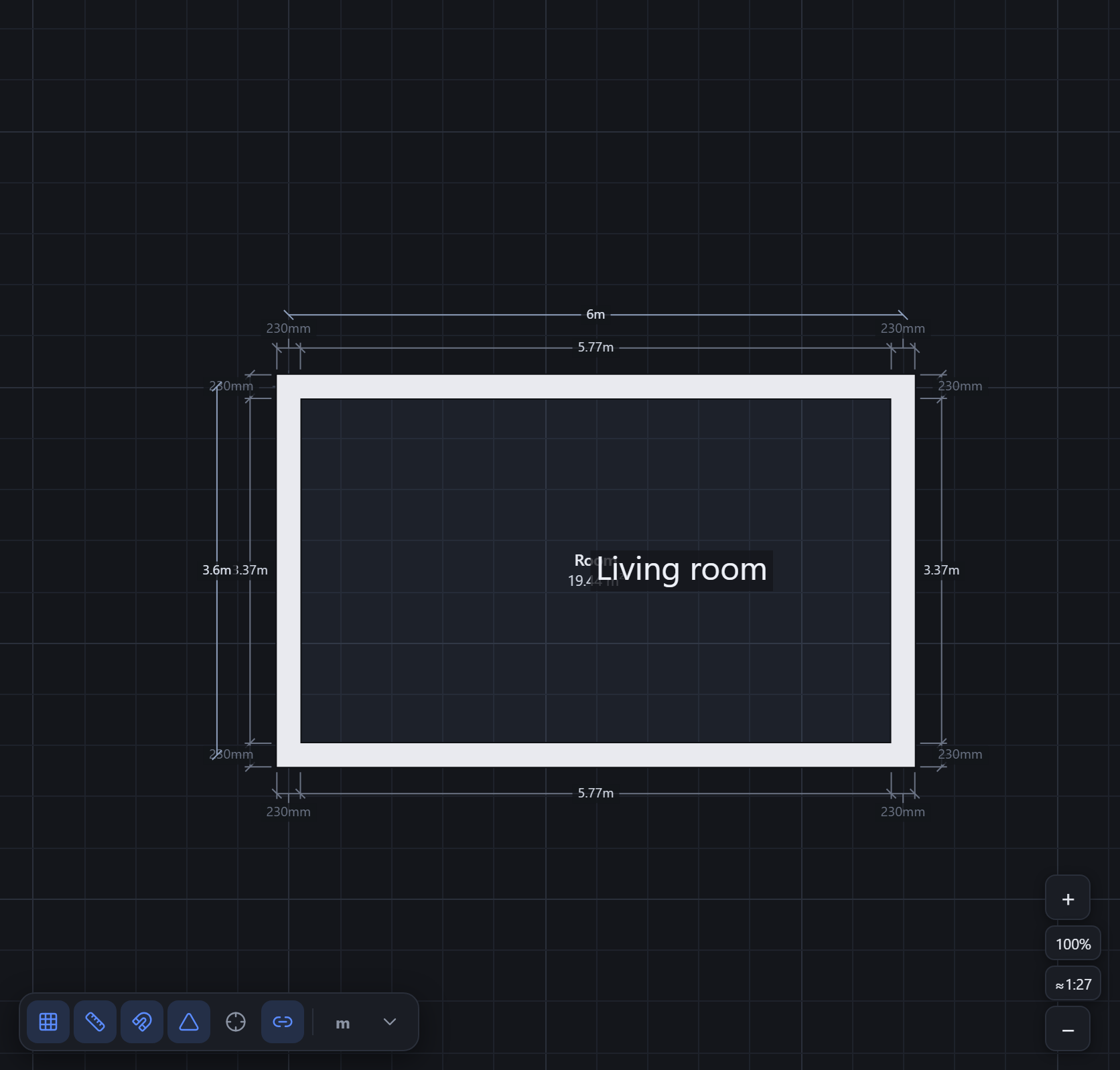
Walls carry editable dimension strings automatically, and you can drop your own dimension lines between any two points. Add text notes with optional leader arrows to call out anything on the plan.
- Automatic, editable dimensions along walls and openings
- Manual dimension lines between any two points
- Text annotations with optional leader arrows
- Edit a length inline by clicking its label
Multi-floor plans
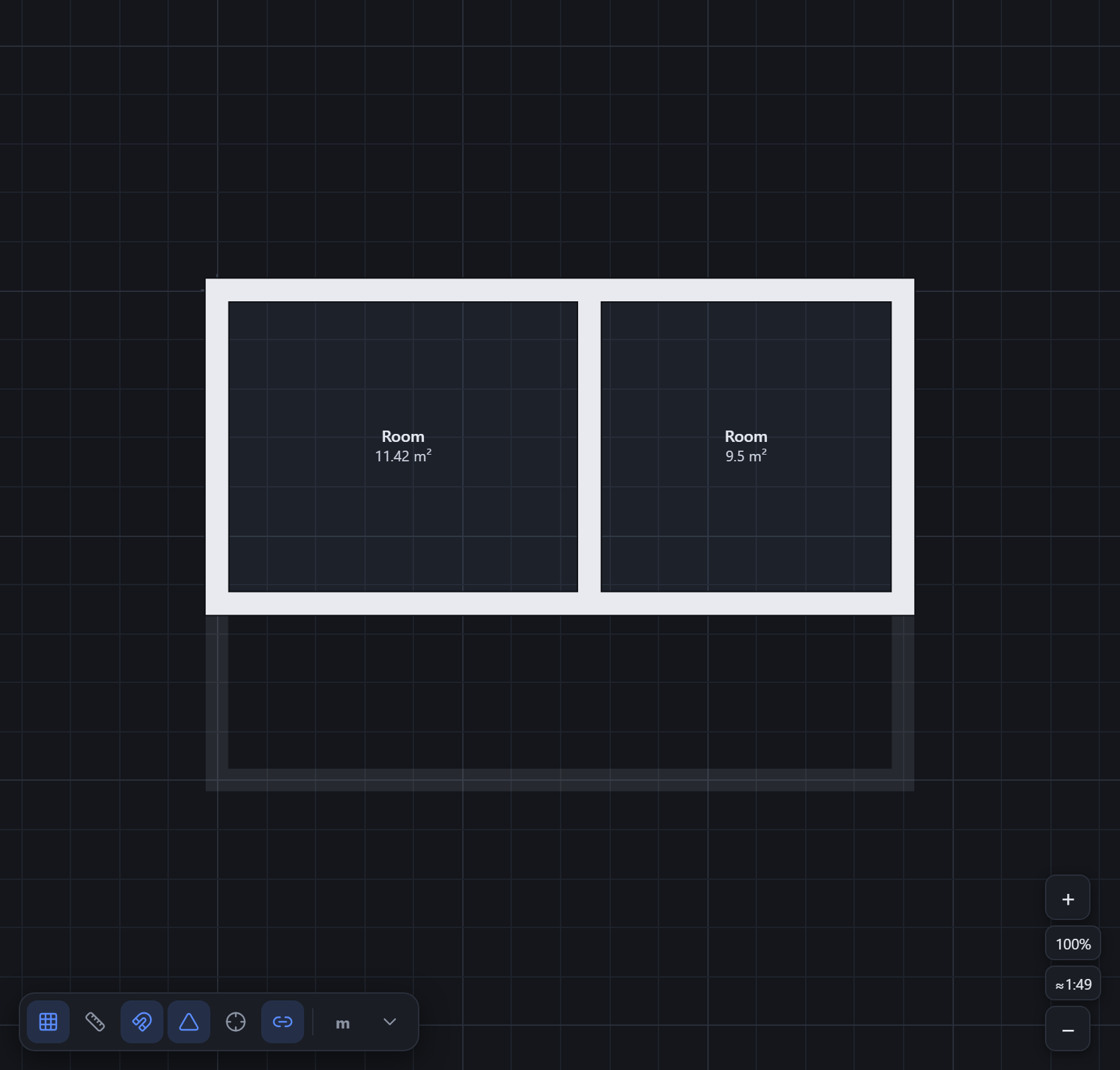
A plan can hold as many storeys as you need, ordered bottom to top. While you draw one floor, the floor below is ghosted underneath so you can line up walls between levels. Duplicate a floor to start the next one from what you already have.
- Unlimited storeys, ordered bottom → top
- The floor below is ghosted for alignment
- Duplicate a floor (walls, openings, columns, stairs) in one step
- Each floor owns its own geometry
Drafting aids
The accuracy tools you expect from a real drafting app.
Grid & snapping
Snap to a configurable grid, to angles and to orthogonal directions for fast, accurate drawing.
Object snaps
CAD-style snaps to endpoints, midpoints, perpendiculars, centres, extensions and nearest points.
Columns
Place rectangular or round structural columns, free-standing or anchored to a wall so they ride along.
Underlay tracing
Import a JPEG or PNG, calibrate it to real-world scale, lock it, and trace your plan over the top.
Undo / redo & copy
Full undo history, plus copy, paste and duplicate that work across floors.
Site context
Sketch the plot boundary, streets and neighbours around the building.
Export & share
Take your plan into CAD, onto paper, or out to anyone.
DXF export
Send the active floor to CAD as DXF in millimetres, on named layers (walls, openings, stairs, fixtures, dimensions, text).
SVG export
Export crisp vector SVG with per-layer groups — drop it straight into a document or illustrator.
Print to scale (PDF)
Print to a true-to-scale PDF on A4, A3 or Letter at ratios like 1:50 or 1:100, with a title block and scale bar.
PNG & JSON
Grab a quick PNG of the canvas, or save the whole plan as a JSON file you can reopen later.
Cloud projects
Optionally sign in to keep projects in the cloud and pick up where you left off on another machine.
Read-only share links
Share a link that opens a clean, view-only copy of a plan — no account needed to look.
Start drawing in your browser.
The editor is free and opens instantly — no install, no signup to start.
Open the editor →